How to set up SMS alerts in SPX Direction
Contact customer support at support@spxdirection.com
SPX Direction allows members to receive SMS (Text Message) alerts whenever selected trading parameters or probability thresholds are met.
Instead of continuously monitoring the charts, SMS alerts notify you immediately when market conditions match the criteria you've selected.
This feature helps traders react quickly to important market opportunities.
Benefits of SMS Alerts
SMS alerts allow you to:
- Stay informed even when away from your computer
- Receive instant notifications
- Monitor important trading conditions
- React faster to market changes
- Customize which alerts you receive
Accessing SMS Alert Settings
Step 1
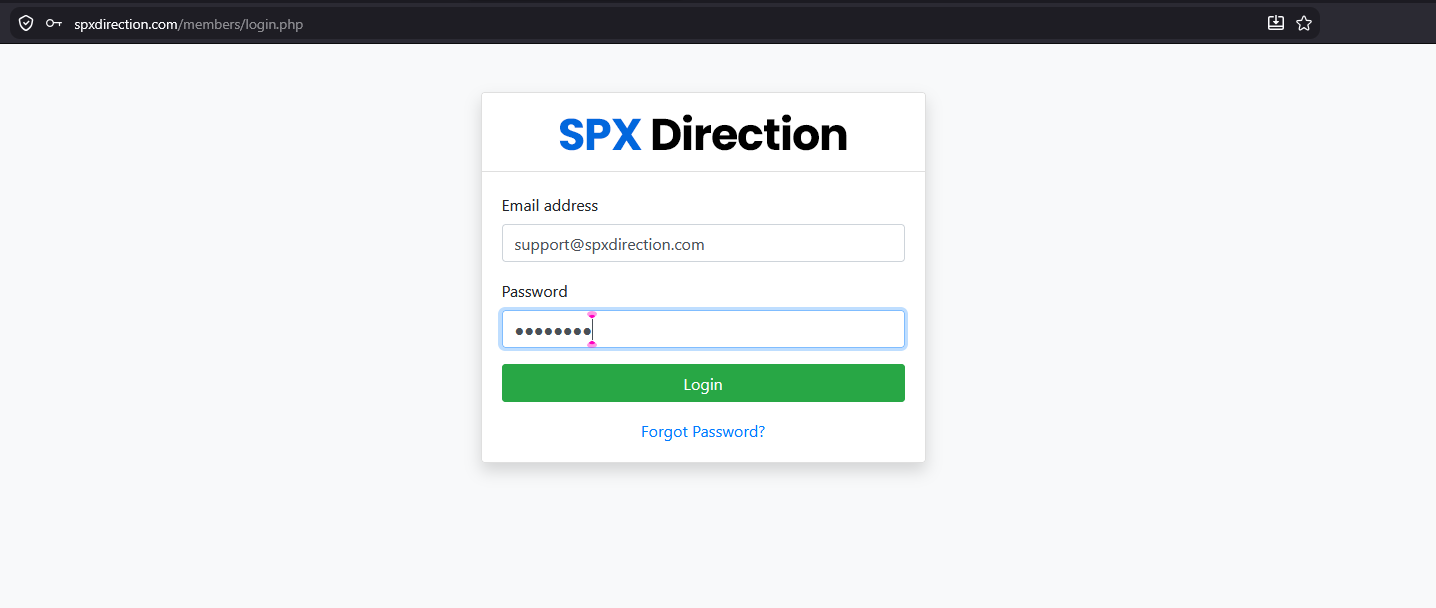
Log in to your SPX Direction account.
Step 2
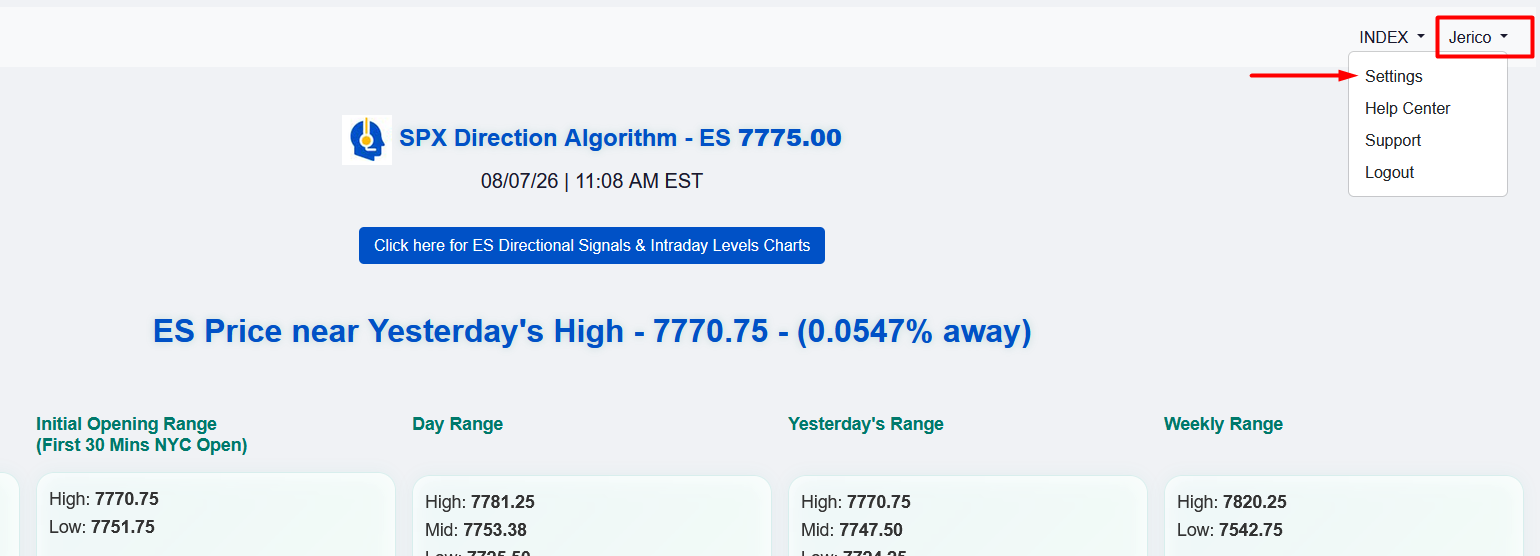
Open the Settings page.
Step 3
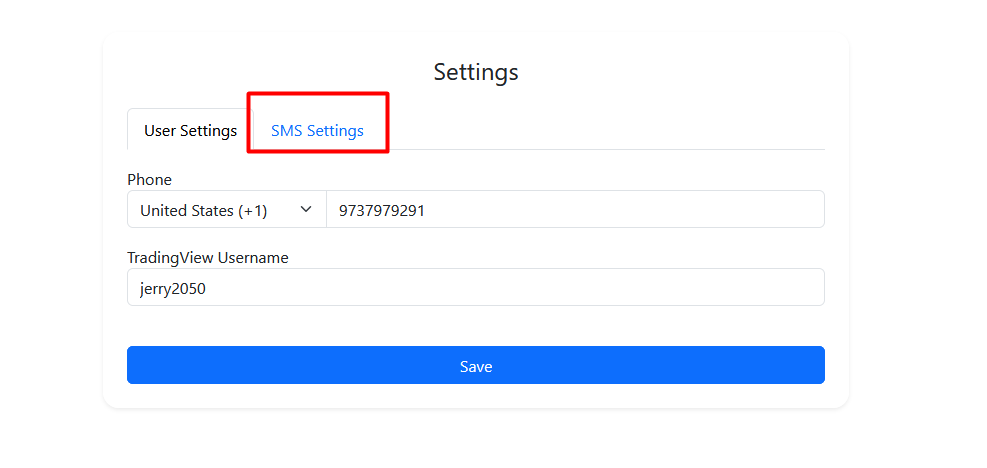
Locate the SMS Alerts section.
Step 4
Enable the SMS Alerts.
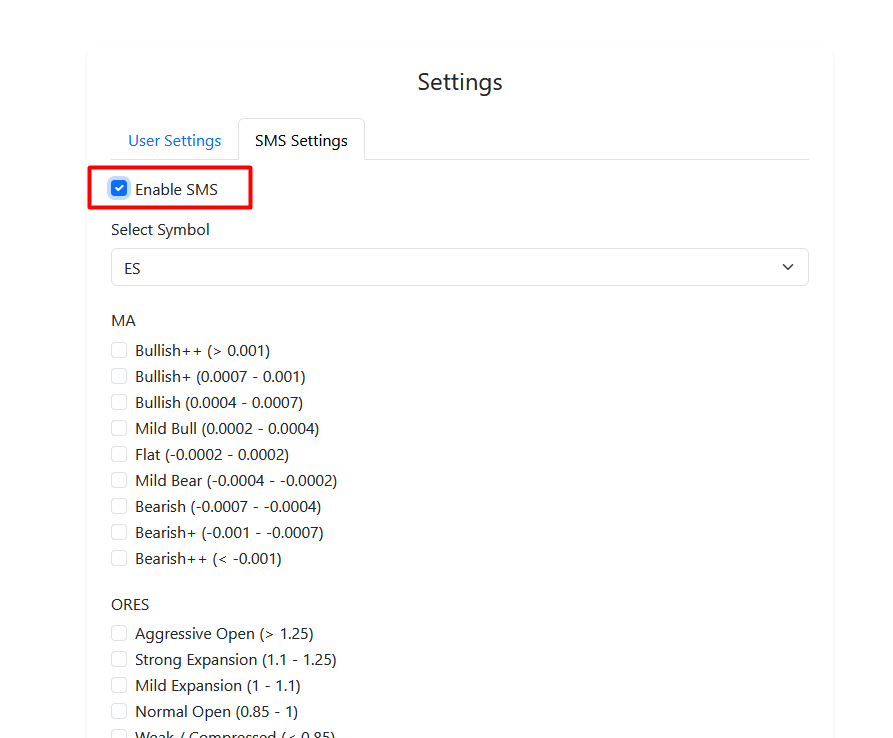
Configuring SMS Alerts
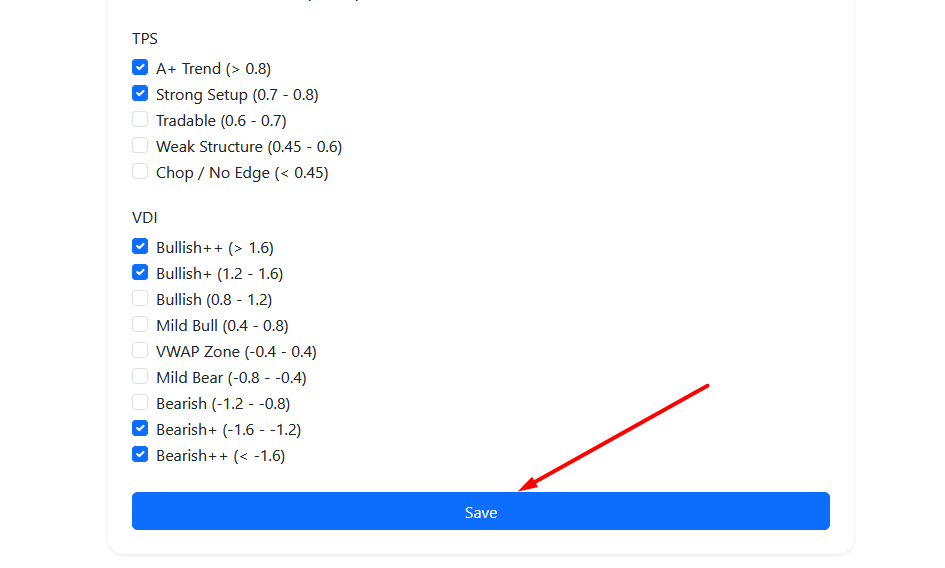
Within the SMS Alert settings, you can choose which market conditions will trigger a text message.
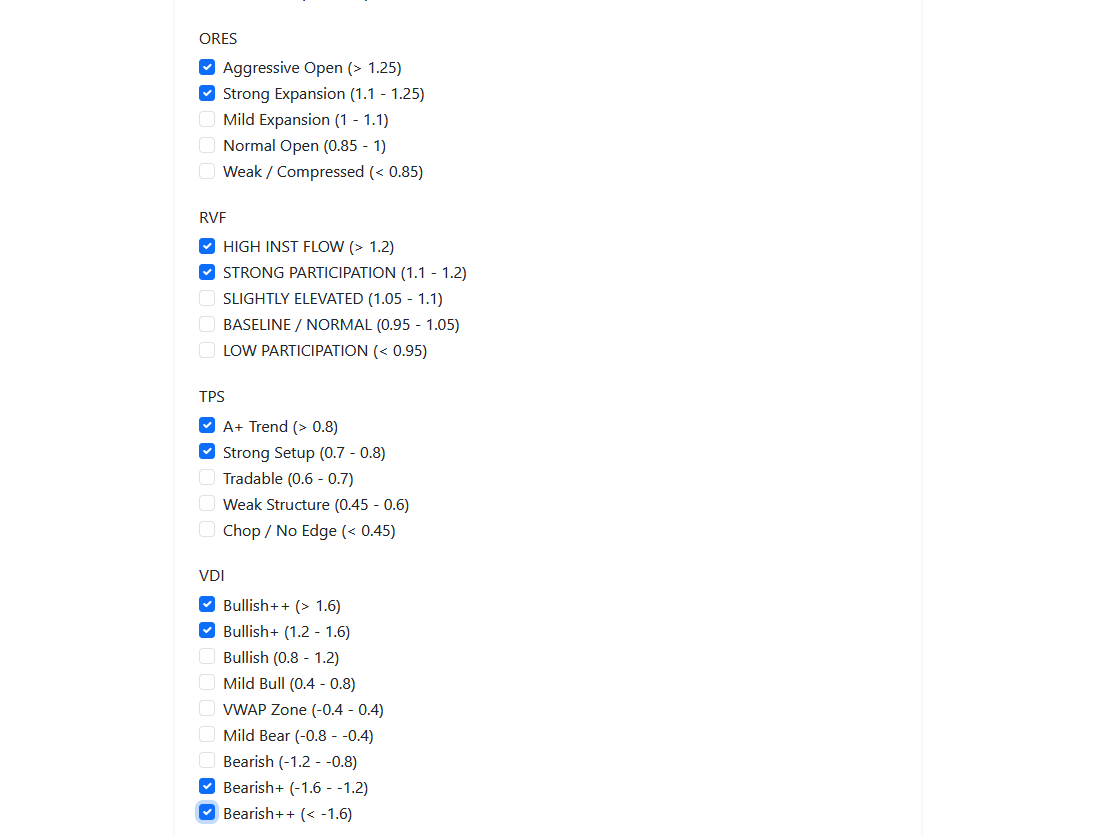
Enable the alert types that match your trading strategy.
Selecting Alert Thresholds
SPX Direction allows SMS alerts for selected market parameters and probability conditions.
Depending on your trading preferences, select the thresholds you would like to monitor.
Moving Average (MA)
The Moving Average (MA) indicator measures the current market trend.
Click here to learn more about Moving Average in SPX Direction.
Opening Range Expansion Score (ORES)
The ORES indicator measures the strength of the market's opening movement.
Click here to learn more about ORES in SPX Direction.
Relative Volume Factor (RVF)
The RVF indicator measures the level of market participation and trading volume.
Click here to learn more about RVF in SPX Direction.
VWAP Displacement Index (VDI)
The VDI indicator measures market direction and volatility.
Click here to learn more about VDI in SPX Direction.
Trade Probability Score (TPS)
The TPS combines the four core SPX Direction indicators into a single confidence score that measures the overall quality of a trade setup.
Click here to learn more about TPS in SPX Direction.
Saving Your Settings
After selecting your desired alerts:
- Review your selections.
- Click Save.
Important: Your SMS alerts will not become active until your settings have been saved.