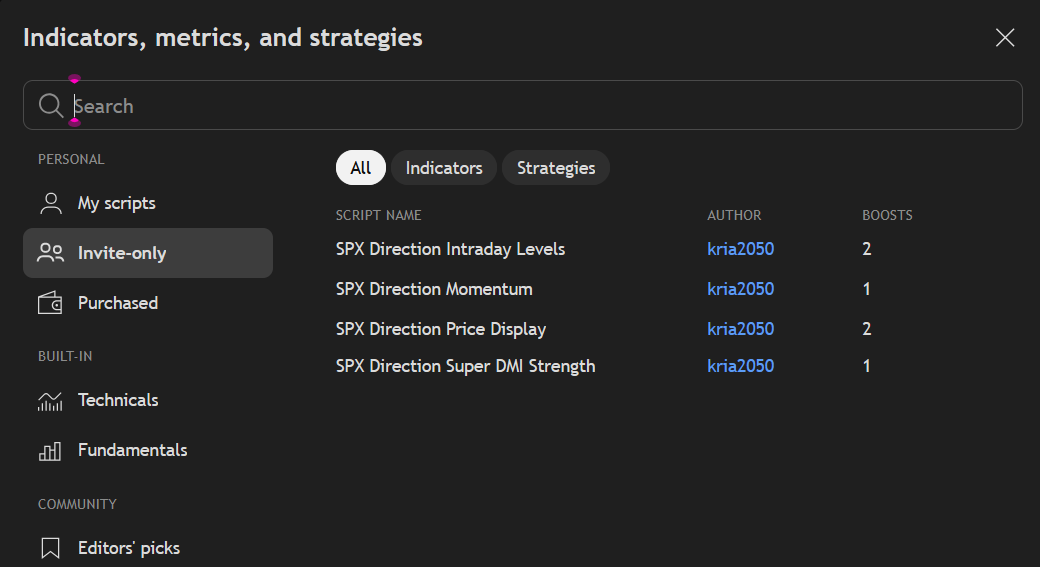
How To Add Your TradingView Indicators
Contact customer support at support@spxdirection.com to get access to all Tradingview indicators.
Step 1: Send Your TradingView Username
Email your TradingView username to support@spxdirection.com
This allows us to grant you access to the invite-only indicators.
Step 2: Login and Access Indicators
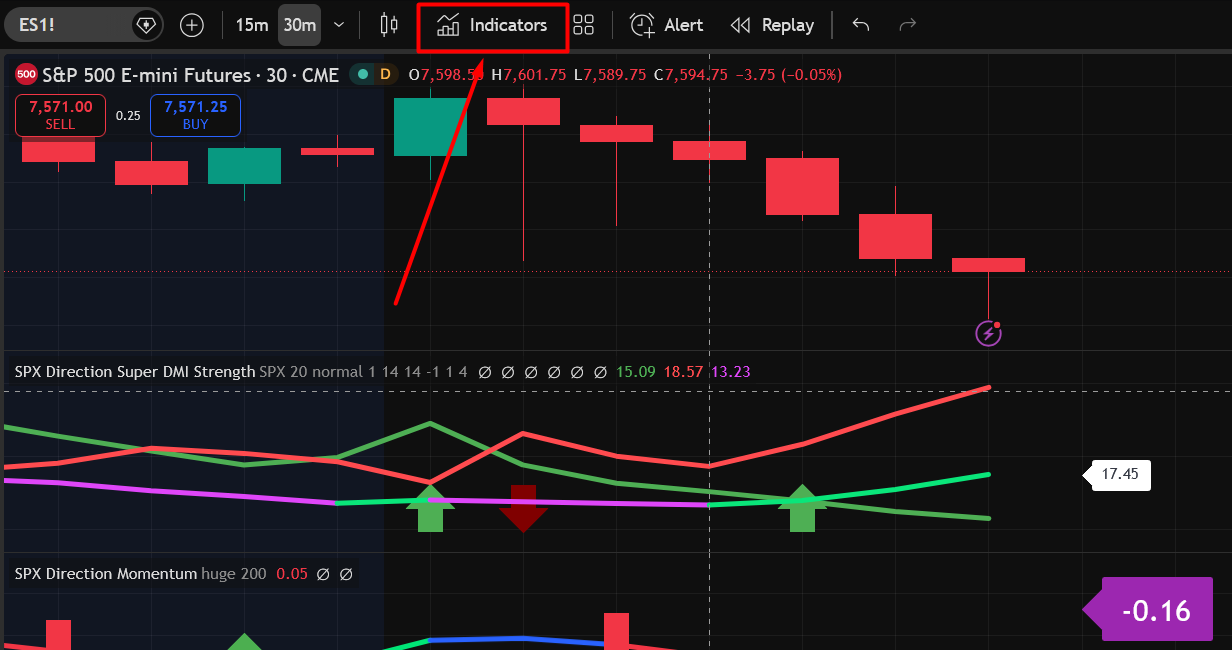
Once access has been provided, log into your TradingView account and click on the Indicators button at the top of your chart.
Step 3: Navigate to Invite-Only Tab
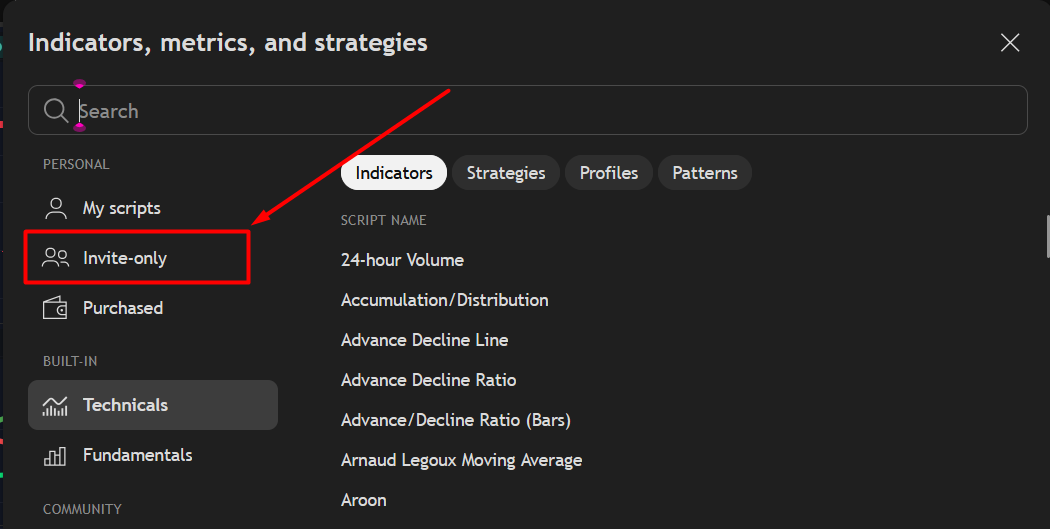
Click on the Invite-Only tab within the indicators menu.
This is where you'll find the exclusive indicators you've been granted access to.
Step 4: Add the Indicators
Click to add the indicators to your chart.